
TL;DR
Check where face photos are processed, how long they remain stored, and whether they can train AI models before uploading. Confirm deletion controls, restrict photo-library access, and review commercial-use rights separately from privacy terms. Choose a service whose written commitments match the intended use.
A face-photo upload deserves the same careful review as any other personal-data decision. A photo editor privacy checklist helps job seekers, freelancers, and creators compare services on what happens to their images, not just how polished the results look.
Photo editor privacy checklist: A structured review of an editor's image processing, storage, AI training, deletion, permissions, payment handling, and usage rights.
For professional-image planning, Looktara offers a relevant starting point. A documented privacy review helps users connect their creative goals with clear requirements for handling source images and finished photos.
Table of Contents
What should a photo editor privacy checklist cover?
A photo editor privacy checklist should cover where images are processed, what data is stored, retention periods, AI training, deletion controls, app permissions, payment handling, and commercial-use rights. Each item should have a written answer tied to the service and account plan being considered, rather than a broad marketing promise.
Seven checks that turn promises into evidence
A useful comparison records the policy wording, its effective date, and any account setting that changes the outcome.
| Check | Evidence to look for | Practical question |
|---|---|---|
| Processing location | Local or cloud processing description | Does the original leave the device? |
| Retention | Separate storage periods for uploads and outputs | When does each file expire? |
| AI training | Explicit terms and consent settings | Can images improve shared models? |
| Deletion | Instructions covering files and derived data | What disappears after a request? |
| Permissions | Requested device access | Can access be limited to selected photos? |
| Payment security | Named payment processor and checkout details | Who handles payment information? |
| Commercial rights | Applicable license and plan terms | Can outputs appear in paid campaigns? |
The strongest answer identifies the data category, purpose, duration, and control available to the account holder. A statement such as data may be retained as necessary needs clarification before it can guide a decision.
Separate privacy, security, and licensing
These three checks solve different problems:
- Privacy: Whether the provider collects, shares, or reuses images and related information.
- Security: How the provider protects stored data and accounts.
- Licensing: What the user and provider may legally do with uploaded or generated content.
Encryption doesn't answer whether images train a model. Commercial permission doesn't answer whether uploads remain stored.
In 2026, comparisons should distinguish ordinary editing from services that create a personalized model or other reusable representation of a person.
How can users verify AI training and deletion?
- Identify whether editing occurs locally or in the cloud.
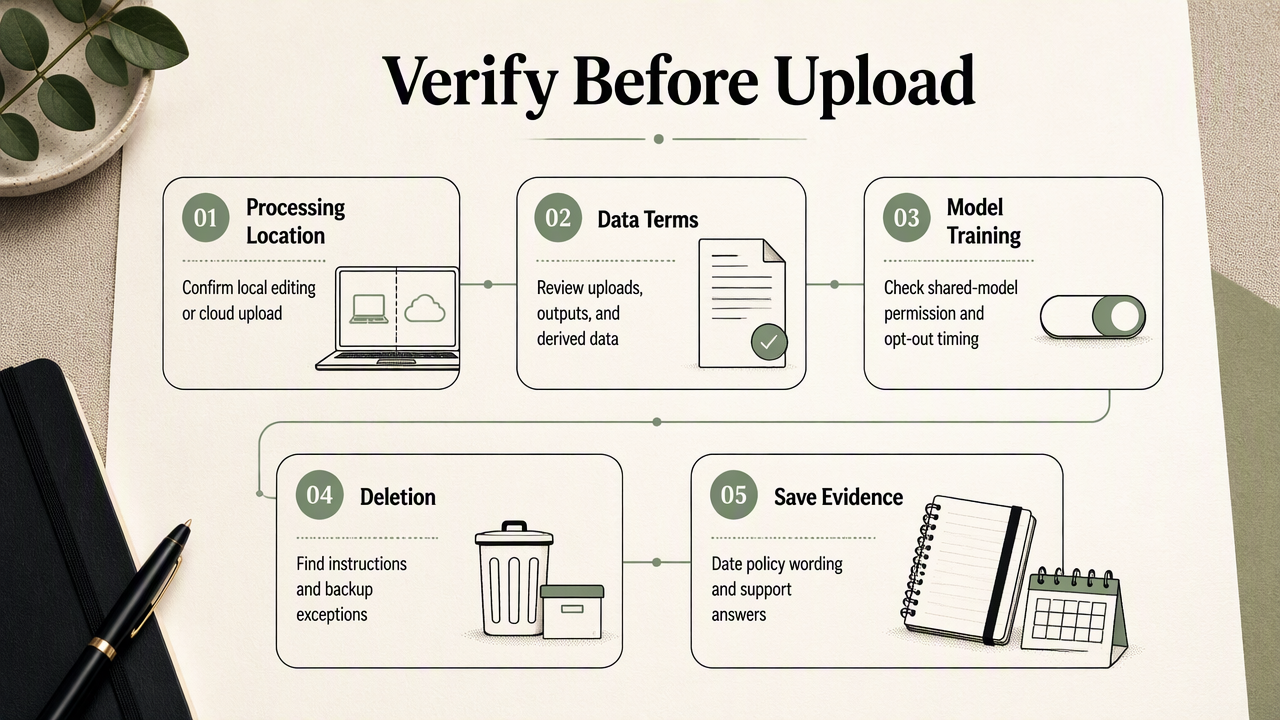
- Read terms for uploads, outputs, and derived data.
- Check shared-model training permissions and opt-out timing.
- Find deletion instructions and backup exceptions.
- Save dated policy wording and support answers before submitting identifiable images.
Distinguish generating a photo from improving a model
Processing an image to produce the requested result and reusing that image to improve a shared AI model are separate purposes. The review should establish which purpose the service permits and whether consent is optional.
Personalized model: A model or adaptation associated with a particular person's uploaded examples.
Derived data: Information created from an upload, such as face-related representations or technical features, whose treatment should be checked separately.
An opt-out should also have a clear effective point. Does the setting apply before upload, only to future processing, or to previously submitted material? A screenshot of the selected setting provides a useful record, but it doesn't replace the applicable terms.
Check the full deletion path
Deleting a visible photo, closing an account, and requesting personal-data deletion may be different actions. The provider should explain which action covers originals, generated outputs, personalized models, and other retained records.
The review should also ask about backups: their retention period, whether deleted material remains accessible, and when scheduled removal occurs. Legitimate recordkeeping exceptions should identify the records retained and the reason, rather than leaving the scope unclear.
A practical test uses a non-sensitive image first. The user can confirm where files appear, locate the deletion control, and save any confirmation. That tests the interface, not the provider's entire backend, so written commitments still matter.
Which permissions and terms matter before uploading?
Photo-library access, image metadata, payment processing, and output licensing deserve separate checks before an upload. The safest practical setup grants only the access needed for the task and records the intended use, such as a LinkedIn profile, client website, newsletter, or paid social campaign.
Limit device access and inspect exported files
Selected-photo access is preferable when an editor only needs a small set of portraits. Camera access makes sense for in-app capture; contacts or location access require a clear task-related explanation.
- Select only the intended source images where device controls allow it.
- Remove unnecessary location metadata before uploading.
- Inspect the final export for metadata and visible personal details.
- Review connected cloud-storage access after the project ends.
Metadata removal doesn't hide a street sign, identity badge, or document visible inside the image. Those details need cropping, redaction, or a different source photo.
When an editor connects to a cloud photo library, the review should identify which service holds the originals and whether editing creates another stored copy.
Review payment handling without confusing it with privacy
Payment security concerns the checkout process and handling of billing information. A named payment processor, clear merchant identity, and understandable subscription terms help establish who handles the transaction.
The browser's secure-connection indicator supports encrypted transmission, but it doesn't prove that every business practice is trustworthy. Users should also check recurring charges, cancellation instructions, and whether billing records remain after account deletion.
Confirm commercial rights and subject permission
Commercial-use permission should match the actual project and purchased plan. A professional profile, sponsored post, client advertisement, and product listing may involve different licensing conditions.
Provider licensing doesn't automatically resolve permission from people shown in the source images. Teams should document subject consent where appropriate and confirm authorization for client photos. Logos, branded clothing, and other third-party material may need a separate rights review.
How Looktara fits a privacy-first photo workflow
Looktara fits the planning stage for professional and social imagery, where users can align the intended publishing channel with documented privacy and licensing requirements. Product suitability and verified data-handling commitments belong in the same purchasing decision, but they remain separate checks.
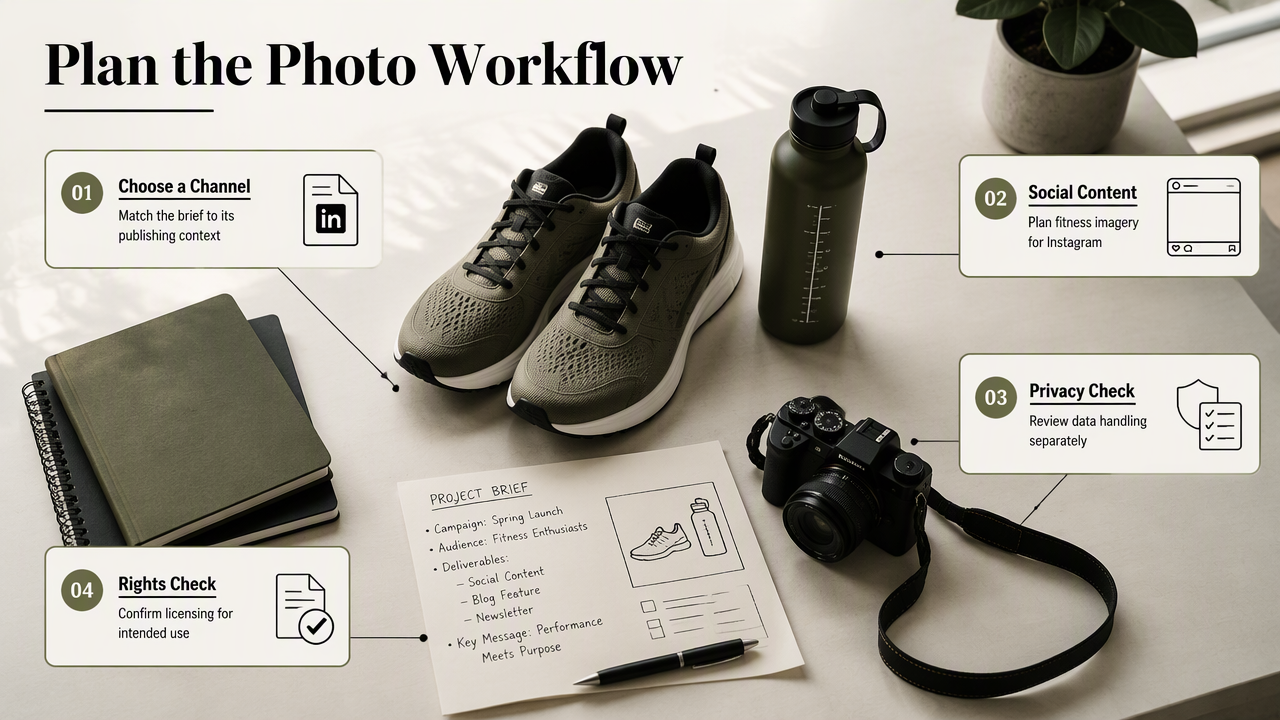
Match the image project to its publishing channel
A fitness business considering the Looktara platform can explore its LinkedIn product-photo generator for that publishing context. A creator planning fitness content can also review the Instagram product-photo generator.
Those channel-specific starting points help define the project brief: intended audience, placement, source images, and required commercial permissions. For visitors exploring options at looktara.com, a completed checklist can sit alongside that brief.
A simple approval record keeps the decision practical:
- Intended channel and image purpose.
- Applicable plan and license wording.
- Documented retention and training terms.
- Selected access settings and deletion procedure.
This process supports an informed choice without treating a product description as evidence of a particular privacy guarantee.
FAQ: Face-photo privacy before uploading
Face-photo privacy questions are best answered by separating storage, processing, visibility, and usage rights. The following checks apply across ordinary editors and AI photo-generation services.
Are offline photo editors more private than cloud editors?
An editor that genuinely processes images on the device avoids sending originals to a remote editing service for that task. However, automatic backups, connected libraries, analytics, or optional cloud features may still transfer information. The review should confirm actual processing behavior and settings rather than relying on the word offline in a product description.
Does deleting an account delete uploaded face photos?
Account deletion should not be assumed to remove every associated record immediately. The applicable policy should explain treatment of uploads, outputs, personalized models, backups, and billing records. A useful deletion confirmation identifies what was removed, what remains under an exception, and when any scheduled deletion will finish.
Does blurring a face protect the original upload?
Face blurring changes the visible result, but it doesn't establish how the editor handles the original file. A cloud tool may need the unblurred image to perform the edit. Privacy reviews should therefore check both the anonymized export and the processing route, including whether an original copy remains stored.
Can AI-generated headshots be used commercially?
Commercial use depends on the provider's license, the account plan, and any relevant third-party rights. Permission to download an image isn't automatically permission to use it in advertising. Businesses should save the applicable terms, confirm source-photo authorization, and check the intended placement before publishing a generated headshot.
Conclusion
A completed photo editor privacy checklist should produce a decision record, not just a reassuring impression. Before uploading, users can save the relevant terms, confirm training choices, restrict permissions, and identify the exact deletion route. Professionals considering Looktara can prepare a small, authorized image set and a clear publishing brief, then proceed once the documented privacy and usage terms match the project.
Generated by EarlySEO.com