
TL;DR
Choose AI portraits that preserve facial identity and match the setting: simple headshots for LinkedIn, approachable portraits for freelance work, and relaxed images for dating. Review every result against a recent real photo, then check the final crop at profile-thumbnail size.
A professional profile photo should look like the person who will arrive at the interview, client call, or first date. The most useful artificial intelligence photo examples for professional profiles demonstrate believable presentation, not dramatic reinvention. In 2026, the practical question isn't merely whether AI can produce a polished portrait; it's whether that portrait fits the person and the platform. Looktara offers a relevant starting point for exploring profile imagery, with dedicated pages for specific professional and creator contexts.
Table of Contents
What is an artificial intelligence profile photo?
An artificial intelligence profile photo is a portrait created or modified with AI for use as an account picture or professional introduction. It may improve an existing photograph or generate a new scene from reference images. A useful result preserves recognizable identity while adjusting presentation, such as lighting, clothing, framing, or background.
Three terms that clarify the choice
- AI-enhanced photo: An existing photograph modified with AI, such as through background cleanup or lighting adjustments.
- AI-generated portrait: A newly synthesized image that depicts a person, often using supplied photographs as references.
- Identity fidelity: How closely the finished portrait resembles the real person, including facial proportions, age, and distinctive features.
These categories describe different workflows, not guaranteed quality levels. A lightly edited photograph can be an excellent choice when the original expression and composition already work.
Realistic polish versus obvious synthesis
Realistic polish keeps skin texture, plausible lighting, and consistent facial features. Obvious synthesis often shows excessively smooth skin, mismatched eyeglass frames, irregular teeth, or clothing details that don't make physical sense.
The 2023 GPT-4 Technical Report concerns a different AI system, not headshot quality. It shouldn't be treated as evidence that a particular portrait generator preserves identity.
The best profile portrait improves presentation without changing the person being presented.
Which AI photo examples suit each profile?
AI photo examples suit professional profiles when their styling matches the audience and the person remains recognizable. LinkedIn favors clear, work-appropriate portraits; founder bios benefit from business context; freelancer profiles need approachability; creator accounts allow more personality. Dating profiles call for everyday authenticity rather than a corporate headshot.
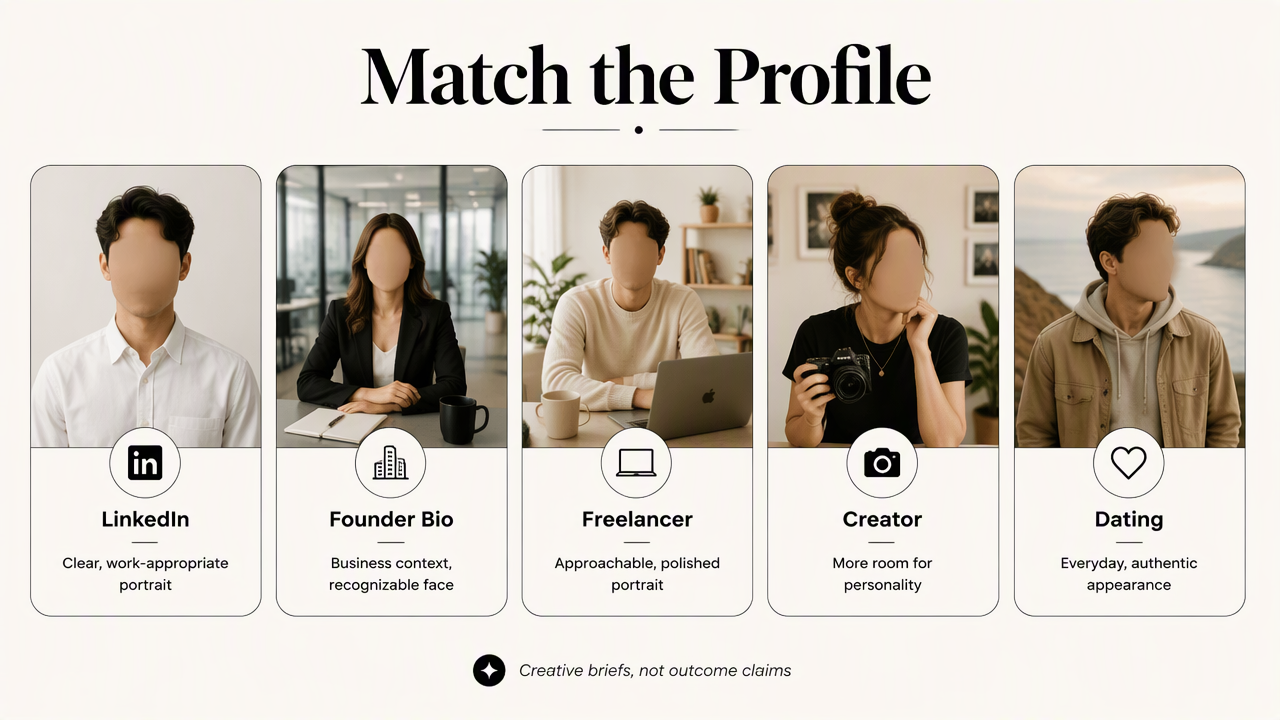
Five settings, five different visual briefs
The examples below are suggested creative briefs, not claims about measured hiring, sales, or dating outcomes.
| Profile setting | Realistic portrait example | Useful styling direction |
|---|---|---|
| Head-and-shoulders portrait with a plain background | Soft daylight, familiar work clothing, relaxed expression | |
| Founder bio | Portrait in a simple workspace | Business-appropriate clothing, restrained environmental detail |
| Freelancer marketplace | Friendly portrait with direct eye contact | Clean background, approachable expression, clear face |
| Creator profile | Distinctive portrait tied to a content niche | Consistent colors, recognizable styling, simple composition |
| Dating app | Casual portrait in an ordinary outdoor setting | Current appearance, everyday clothing, natural expression |
LinkedIn and founder bios: credibility before drama
For LinkedIn, a useful example is a consultant wearing a familiar navy jacket against a warm gray background. The face stays prominent, and the expression feels suitable for a video introduction. A dramatic boardroom scene adds little when the portrait will appear as a small circle.
A founder biography can support a wider crop. For example, a bakery owner might appear near a softly blurred counter, provided the image doesn't falsely depict an actual premises. Fitness professionals can explore a dedicated LinkedIn profile-picture option for that specific niche.
Freelancer and creator profiles: approachability with personality
A freelancer portrait should feel comfortable beside a proposal or portfolio. An editor might choose a simple shirt and neutral background rather than formal clothing that doesn't reflect normal client interactions.
Creators have more room for color and styling. A fitness educator could use recognizable workout clothing and a uncluttered studio-style background. A dedicated fitness Instagram profile-picture page matches that use more closely than a general corporate portrait.
Dating apps: everyday appearance over professional staging
A dating portrait works best as a believable introduction to someone's current appearance. A relaxed outdoor image in ordinary clothing is a stronger brief than an invented luxury holiday or heavily stylized fashion shoot.
AI assistance shouldn't manufacture hobbies, travel experiences, or body characteristics. Recent real photographs remain useful companions to any edited portrait because they show appearance across different expressions and settings.
How can a realistic AI profile portrait be created?
- Start a realistic AI profile portrait with recent, clear reference photographs.
- Select one intended platform and audience.
- Describe clothing, lighting, expression, and background simply.
- Compare generated options against the reference photographs.
- Inspect details at full size, then test the platform's thumbnail crop.
- Publish the closest recognizable match.
A prompt brief that keeps identity central
A useful prompt separates identity requirements from presentation choices. Where a tool accepts text instructions, a LinkedIn brief could read:
Professional head-and-shoulders portrait of the reference person; preserve facial proportions, apparent age, hairstyle, and distinctive features. Soft window light, simple gray background, familiar business-casual clothing, relaxed expression, realistic skin texture, centered composition.
For a founder bio, the background instruction could become a softly blurred workspace appropriate to the business. For a creator, the clothing and color palette can reflect the niche. Specific, restrained instructions make the intended result easier to judge, although no prompt guarantees accuracy.
A review checklist before publication
| Review area | What to inspect | Selection rule |
|---|---|---|
| Identity | Face shape, age, hairline, distinctive marks | Choose recognizable likeness over flattering changes |
| Physical detail | Eyes, teeth, glasses, ears, visible hands | Reject inconsistent or malformed details |
| Context | Clothing, background, implied location | Avoid suggesting credentials or experiences that aren't real |
| Crop | Face size, headroom, circular preview | Keep key features clear in the actual platform frame |
Before uploading reference photos, applicants should also review the provider's storage, deletion, and image-use terms. Personal portraits deserve the same care as other identifiable information.
A finished image is ready when its expression, clothing, and framing support the intended introduction. Saving the selected portrait alongside its reference photo makes later profile updates easier to keep consistent.
How Looktara handles profile-specific imagery
Looktara provides dedicated profile-picture pages for fitness-focused LinkedIn, Instagram, and newsletter contexts. That gives fitness professionals a practical way to start with the intended publishing setting rather than a vague request for a professional photo. The choice can follow the audience: business contacts, social followers, or newsletter readers.
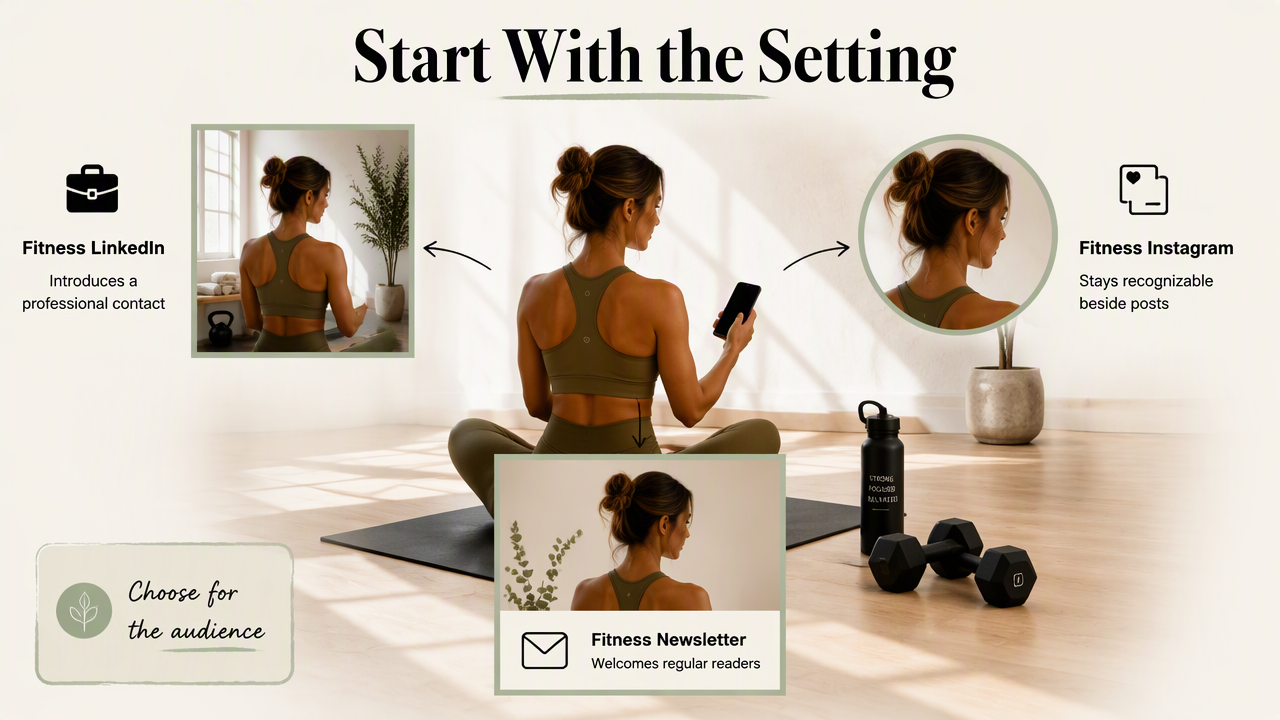
Choose the destination before the visual style
A trainer's LinkedIn portrait serves a different purpose from an Instagram avatar. The former introduces a professional contact; the latter needs to remain recognizable beside recurring posts. A newsletter portrait can support a more conversational author identity.
The fitness newsletter profile-picture page is a relevant next step for coaches building an email presence. Available options can be explored at looktara.com, with the final selection guided by the intended audience.
- Professional networking: Prioritize a clear face and work-appropriate presentation.
- Creator recognition: Keep styling consistent with existing content.
- Newsletter authorship: Choose a friendly portrait that fits the publication's tone.
A consistent identity doesn't require the same photograph everywhere. Different crops and backgrounds can serve different channels while retaining familiar facial features and personal style.
FAQ: AI portraits for professional profiles
AI profile-photo decisions usually come down to likeness, context, and honest presentation. These questions address the practical choices that remain after a portrait has been generated.
Can an AI-generated headshot be used on LinkedIn?
An AI-generated headshot can serve as a LinkedIn portrait when it accurately represents the account holder and fits the platform's current rules. Professional appearance alone isn't enough: the image should preserve recognizable features and avoid implying a different age or identity. A recent real photograph provides a useful comparison before publication.
What makes an AI portrait look fake?
An AI portrait can look fake when facial details, lighting, or clothing don't agree with one another. Common warning signs include plastic-looking skin, inconsistent glasses, unusual teeth, and implausible background objects. Excessive perfection can also feel unnatural. The safest selection retains ordinary texture and resembles the person across recent reference photographs.
Should an AI profile photo be disclosed?
Disclosure depends on platform requirements and the context in which the portrait appears. Current policies should be checked before publication. Where a generated setting could imply a real event, location, or experience, clarification helps prevent misunderstanding. Dating profiles especially benefit from recent real photographs alongside any AI-assisted image.
Can one AI portrait work across every platform?
One AI portrait can work across several platforms when the audiences and visual requirements are similar. However, a LinkedIn headshot may feel too formal for a dating profile or too restrained for a creator account. Reusing a recognizable identity with context-specific clothing, backgrounds, and crops is often the more practical approach.
Conclusion
The strongest artificial intelligence photo examples for professional profiles pair recognizable identity with a clear purpose. A practical next step is to select one platform, gather recent reference photographs, and write a restrained visual brief. For fitness-focused professional or creator imagery, Looktara provides context-specific starting points. The final choice should pass both the full-size detail check and the small-profile-crop test.
Generated by EarlySEO.com